

Agentiv now shows you how much time it gives back, celebrates what you get done with awards, and lets you arrange your dashboard however you work.
Insights
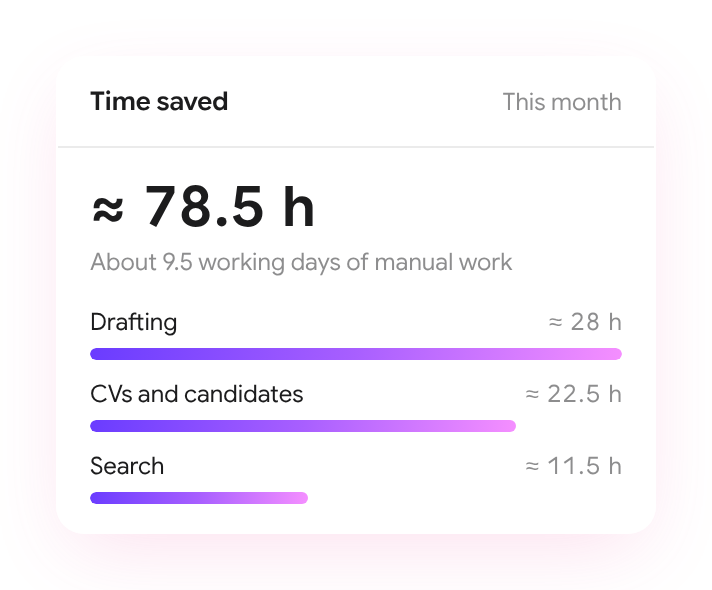
- Time saved. A new card on your dashboard shows how much manual work Agentiv took off your hands this month, and where it went. Each estimate counts only finished work, like a CV read or a draft written, at conservative manual times.
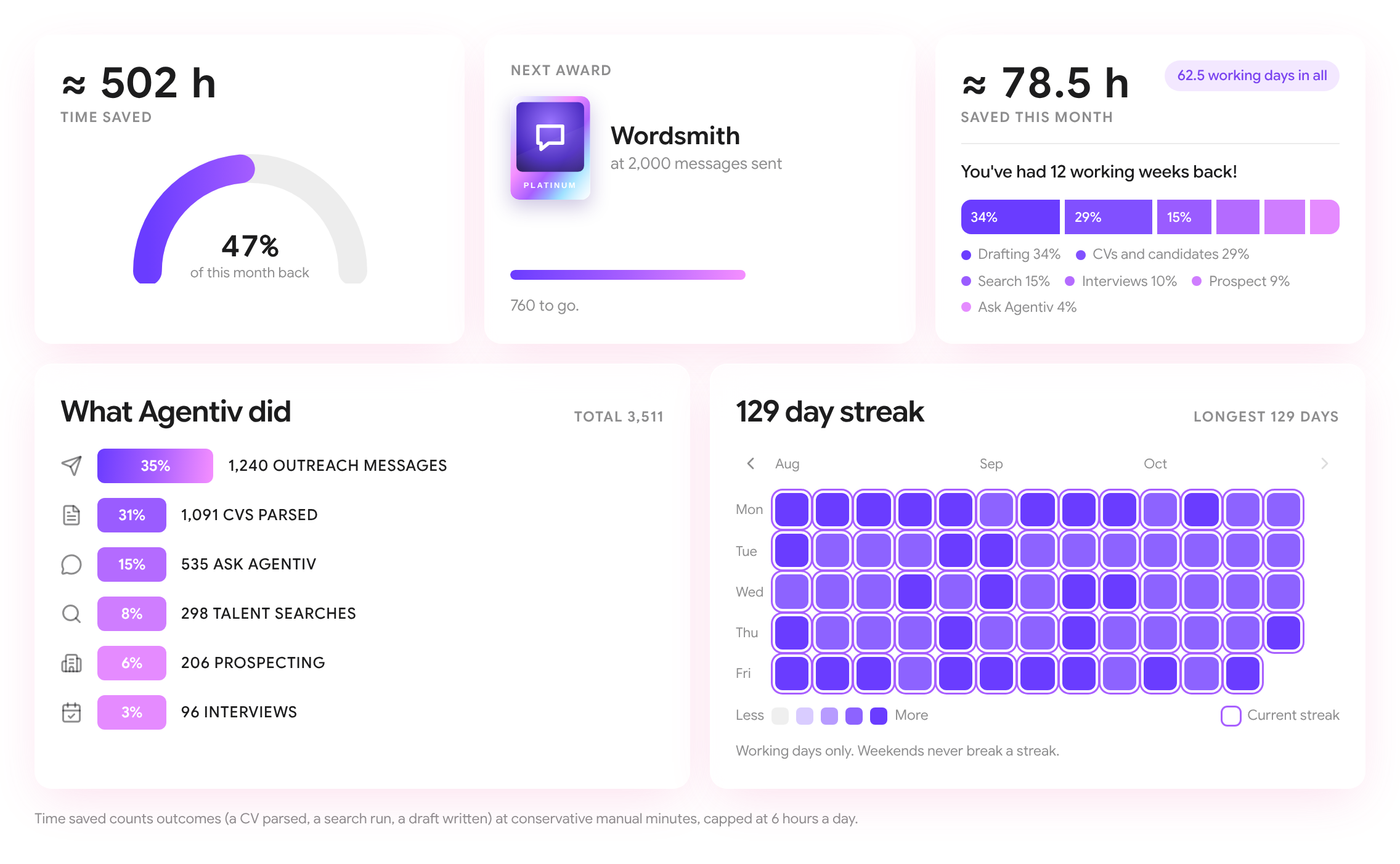
- Your impact. The new Insights page adds up everything Agentiv has done for you: total time saved, how much of this month you got back, where the time went, what Agentiv did and your working-day streak. Weekends never break a streak.
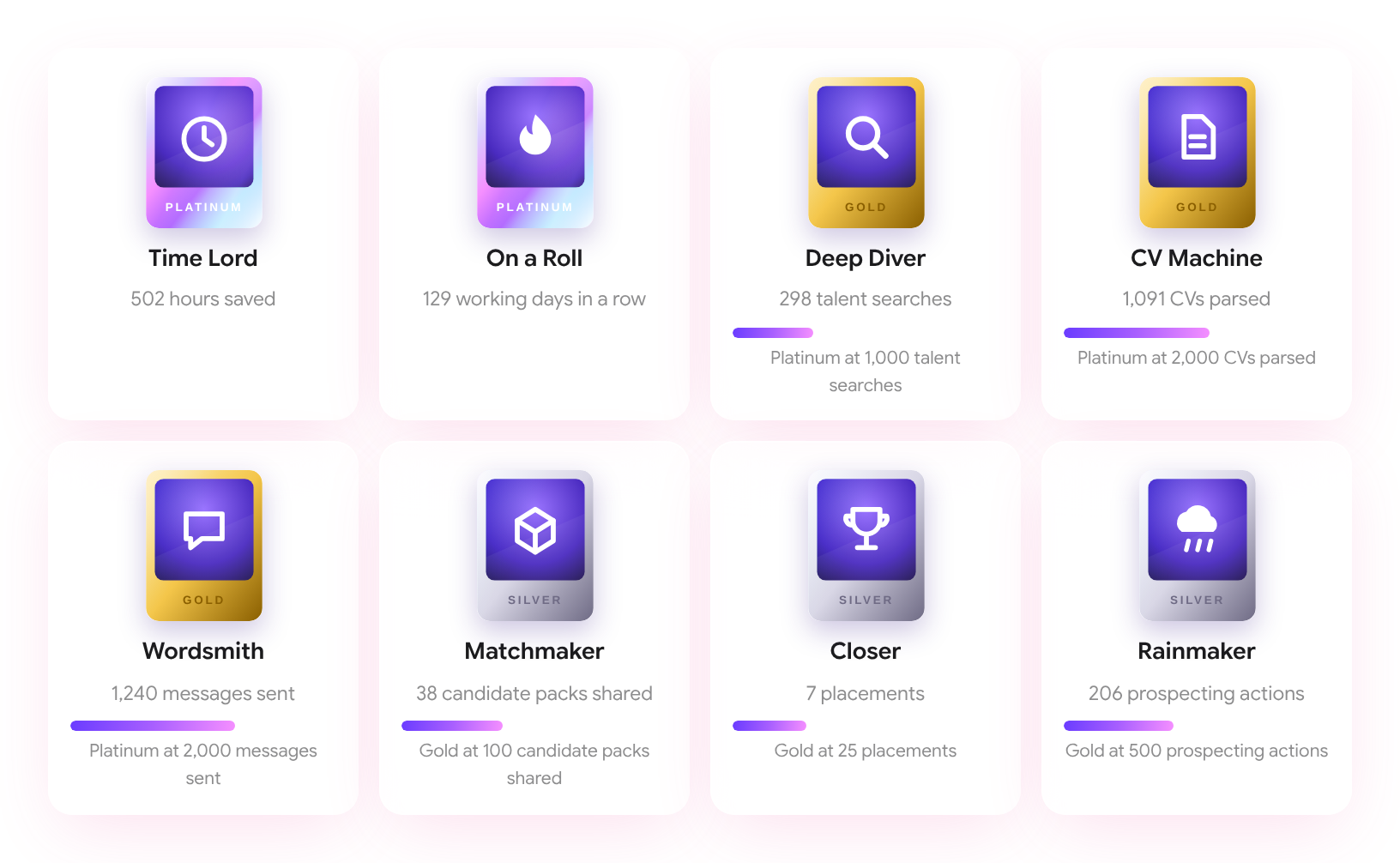
- Awards. Earn awards for firsts and for milestones, from bronze up to platinum, and see how close you are to the next one. When you earn one, Agentiv celebrates with you.
- Your style. See what kind of recruiter you are from where your time goes, when your busiest hour is and the tool you use most.
- From your calls. Insights from your interviews: the rival you come up against most, your signature question, how much you talk versus listen and what candidates bring up.
- Share it. Turn your highlights, time saved or an award into a card to download, copy or post on LinkedIn, with or without your name and photo.
- Tabs that have nothing to show yet still show their layout, so you can see what's coming.
Dashboard
- Arrange your dashboard. Drag cards to reorder them, and Agentiv remembers your layout.
- Interviews and recent activity sit in the main column, and jobs move to the side by default.
- Jobs show their location flag: on the client's logo for client jobs, and before the title for your own.
Prospect Search
- Show more sits at the bottom of the sheet, and after a search a toast tells you how many credits are left.
- Lists have a location column with up to three country flags.
- Companies added from a search are filed under the right sector, industry and vertical, and the hover card shows their stage.
- The build list button stays in the background until you've typed a search.
Companies
- Searching your companies opens the groups that hold a match.
Website
- The agents working card on the home page has a header row.
- Our Slush walkthrough has a new cover, team logos and an Insights slide.
agentiv.md
- The home page shows the Agentiv wordmark in a slowly drifting gradient.