

Agentiv has a calmer new look and opens faster. You can now rate answers while the interview is still going, build job adverts block by block, and snip any part of the app to send us feedback.
A calmer look
- A new look across the app. Flatter pages, quieter buttons, hairline dividers and sentence-case labels, in both light and dark mode. Pages and lists sit straight on the canvas, so there is less in the way of your work.
- Favourites in the sidebar. Star any page, candidate, job, search or conversation and it shows up under Favourites, each with a coloured icon. Drag them into the order you like.
- Theme and accent. Right-click the bottom of the sidebar to switch theme or pick an accent colour.
- Search sits next to your workspace name at the top of the sidebar.
- The sign-in page matches the new look.
- Hover cards for jobs, companies, teammates, candidates and skills are calmer and easier to read, and their chips wrap instead of being cut off.
- On a skill's hover card, add a skill it often appears with in one click.
- Candidate slide-outs have a cleaner cover, compact tabs and a properties rail you can edit in place.
- Fit, recommendation, score and status chips use quieter signals.
- Talent Search has two new backdrops to choose from.
- In Talent and Companies, the open group's header stays pinned right under the column headers as you scroll.
Faster pages
- Pages load noticeably faster, and many make far fewer trips to the database.
- Headers, accordions, the calendar and the sidebar paint in their final place on first load, so nothing jumps as the page settles.
Interviews
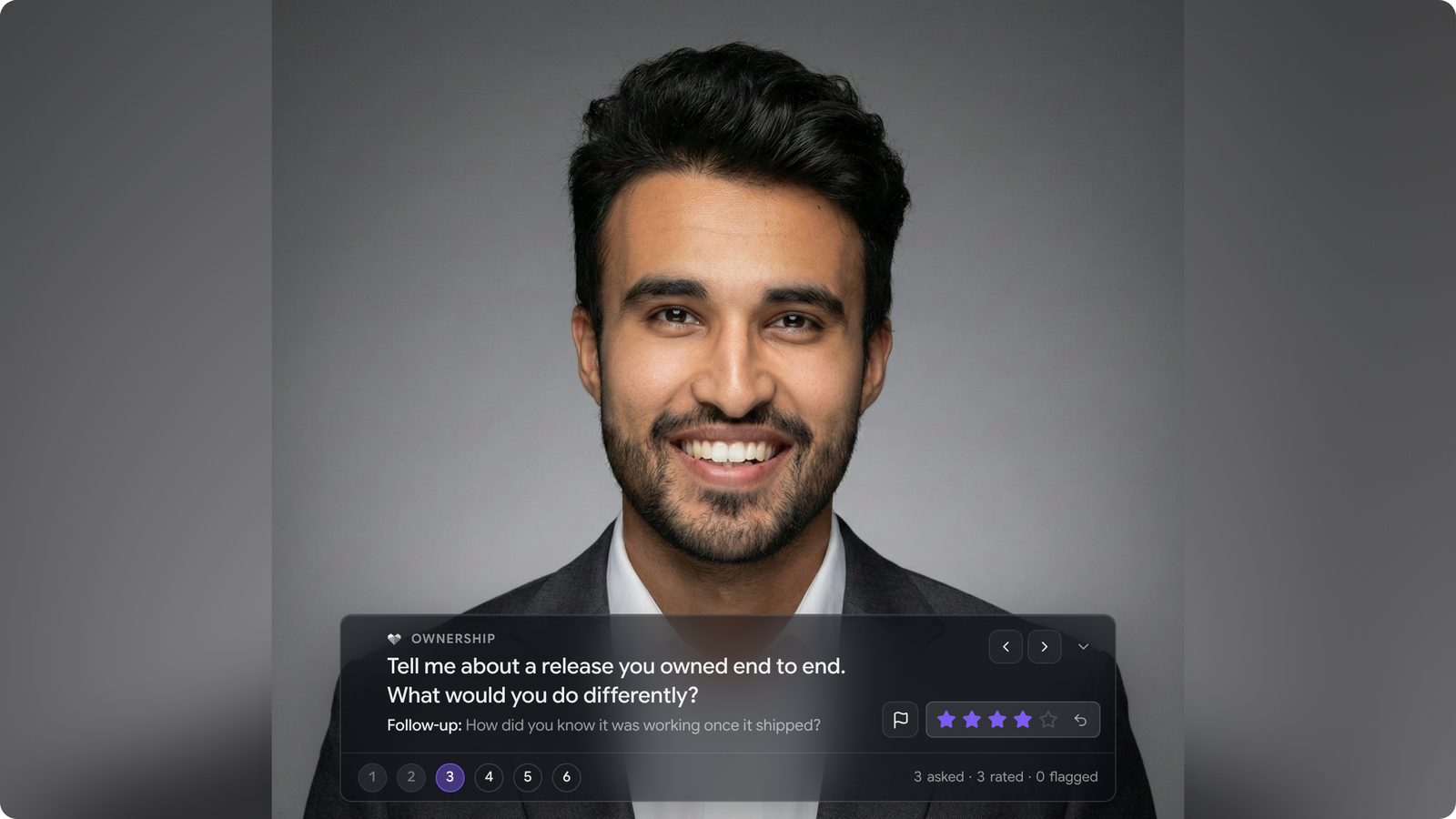
- Rate answers in the call. Once you mark a question as asked in Interview Studio, it turns into the scorecard's 1 to 5 stars. Your first rating fills in the scorecard and moves you on to the next question. Keys 1 to 5 rate too.
- Each job now has its own interview plan, with a default plan in the Library and the before-you-join checklist inside it.
- Scorecards and the interview review drawer use calmer colours.
- Insights has a new Interviews tab, linked from the coverage card on the Interviews page.
Job adverts
- A new advert builder. Add blocks from the library on the left, see the page outline on the right and edit the selected block's settings in place. Move, duplicate, hide or delete any block on the canvas. Hidden blocks stay in the builder but are left off the public advert.
- Switch between a job's adverts from the builder.
- Advert buttons follow your brand kit, and you can recolour them right in the builder.
- Hero images show on every template, and hiring process stages can be edited on the advert.
Insights
- Share card styles. Every share card now comes in more than one style, with a Switch style button that remembers your pick. There is also a new recruiter profile card.
- Award details. Click an award to see it large: what it was for and when you earned it. The card tilts toward your pointer, and you can share it from there.
- The share dialog is bigger, preloads every card and lets you pick which award to share.
Analytics
- AI summary card. Widgets can show a short summary with key numbers and suggested next steps.
- The stage funnel now counts every candidate at the furthest stage they reached, including those rejected later, and can show as vertical bars.
- The interviews held list shows completed interviews only.
- The breadcrumb shows the dashboard's name, double-click it to rename, and favourites follow the new name and icon.
- Pick chart colours from your accent colour swatches.
- Each job's Analytics tab shows live data, and before the first hire it estimates the time to hire from where candidates are in the pipeline.
Messages and sequences
- The Needs attention page is folded into Needs you on the dashboard, which now also lists replies on unlinked threads and conversations that went quiet.
- On a sequence board, the row that needs you comes first, and each card fits on one line.
- If your LinkedIn account isn't linked, the composer shows a Connect LinkedIn button instead of coming soon.
- Connected accounts show your linked LinkedIn.
Prospect Search
- Lists show headquarters and contact location in separate columns, and add industries, seniority, emails and owner.
Calendar
- Links and Availability open together in one plain window.
- The calendar opens on your working hours, and the connect buttons for external calendars match your theme.
Ask Agentiv
- A new starter question asks which jobs need attention this week.
Feedback
- Snip for feedback. Right-click anywhere and choose Snip for feedback. Drag over the part you want, mark it up with boxes, arrows, a pen or text, then copy it, save it or send it straight to us. There are two new awards for it, too.
Website
- The home page has new hero copy, and the app on it is built from the real app's pages: dashboard, talent, messages, jobs, insights and Ask Agentiv.
- The taxonomy strip has solid cards.
- Our Slush walkthrough has a new cover and darker product slides in the new look.