

Agentiv now asks before creating a duplicate candidate, plans are simpler, Ask Agentiv learns from your feedback, and everyone without a photo gets an avatar of their own.
Candidates
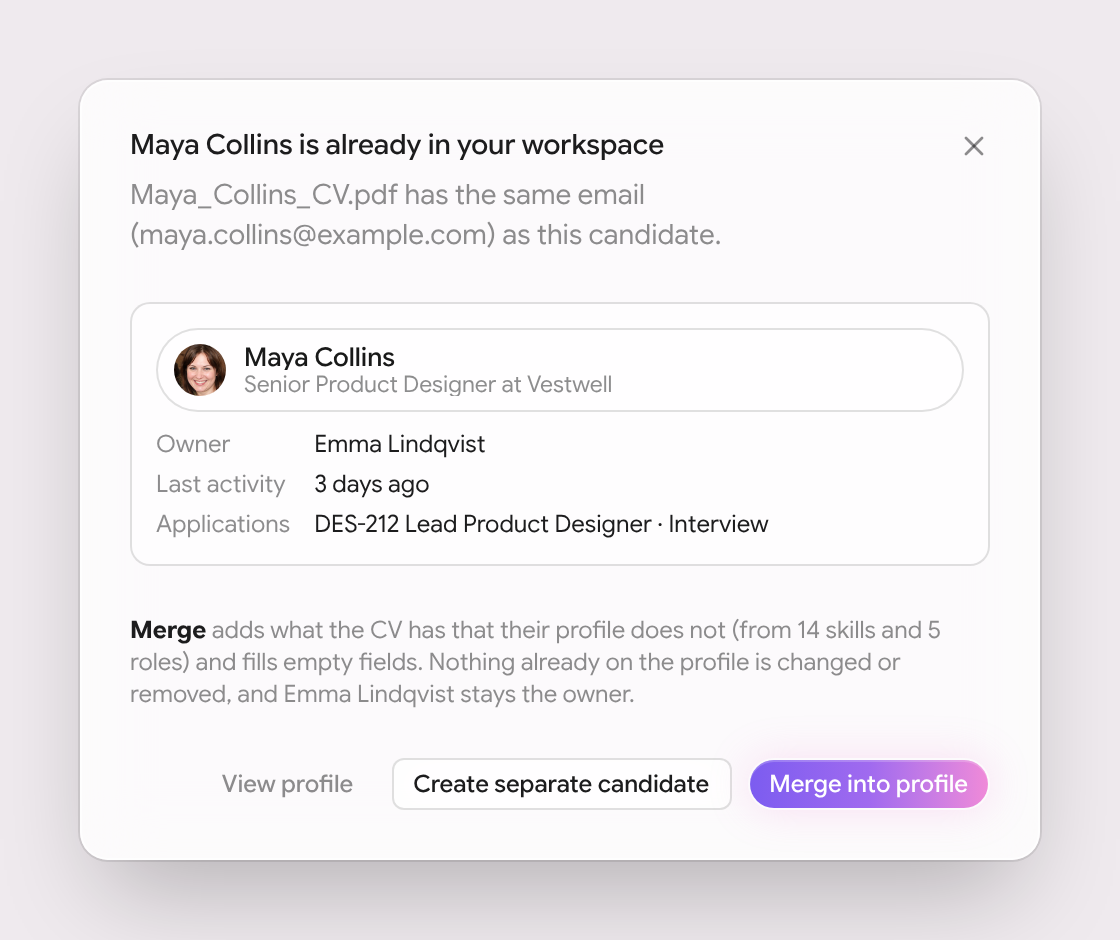
- No more duplicate candidates. When a CV you upload matches someone already in your workspace by email, LinkedIn or phone, Agentiv asks first. You can merge it into their profile, open the existing profile or keep them separate. Adding someone from search who's already a candidate works the same way. A merge only fills gaps, nothing is overwritten and the candidate keeps their owner.
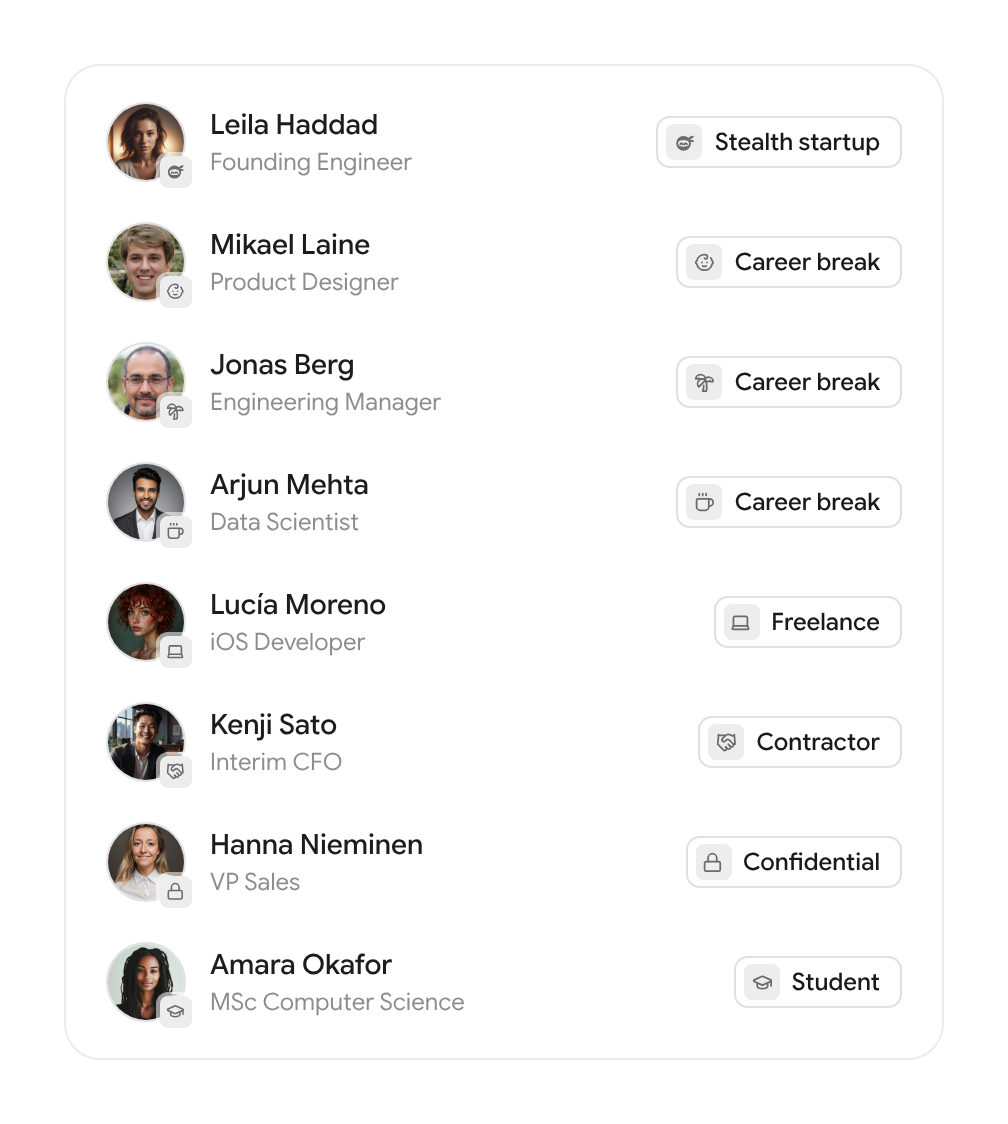
- Icons for stealth startups, career breaks and more. When someone's current employer isn't a company, their card shows what they're doing instead: a ninja for a stealth startup, a baby for parental leave, a palm tree for a sabbatical, a coffee cup for a career break, a laptop for freelance, a handshake for contracting, a lock for confidential and a graduation cap for students.
- When someone takes over your candidate or job, you get a notification saying who changed it and who holds it now.
- The recruiter picker lists your team as soon as it opens, so you don't have to type a name first.
- The Add candidate button on an empty pipeline works again.
- After you upload a CV, the candidate's profile and slide-out update by themselves once Agentiv has read it.
- On pipeline cards, hover the company badge of a company that isn't in your CRM yet to add it in one click. Card avatars are a little bigger.
- The stage pill no longer covers the top of the CV preview.
- Add to job lists your newest candidates as soon as it opens, so you don't have to type first.
- Broken profile photos now fall back to initials for candidates and a marble avatar for teammates, instead of a broken image.
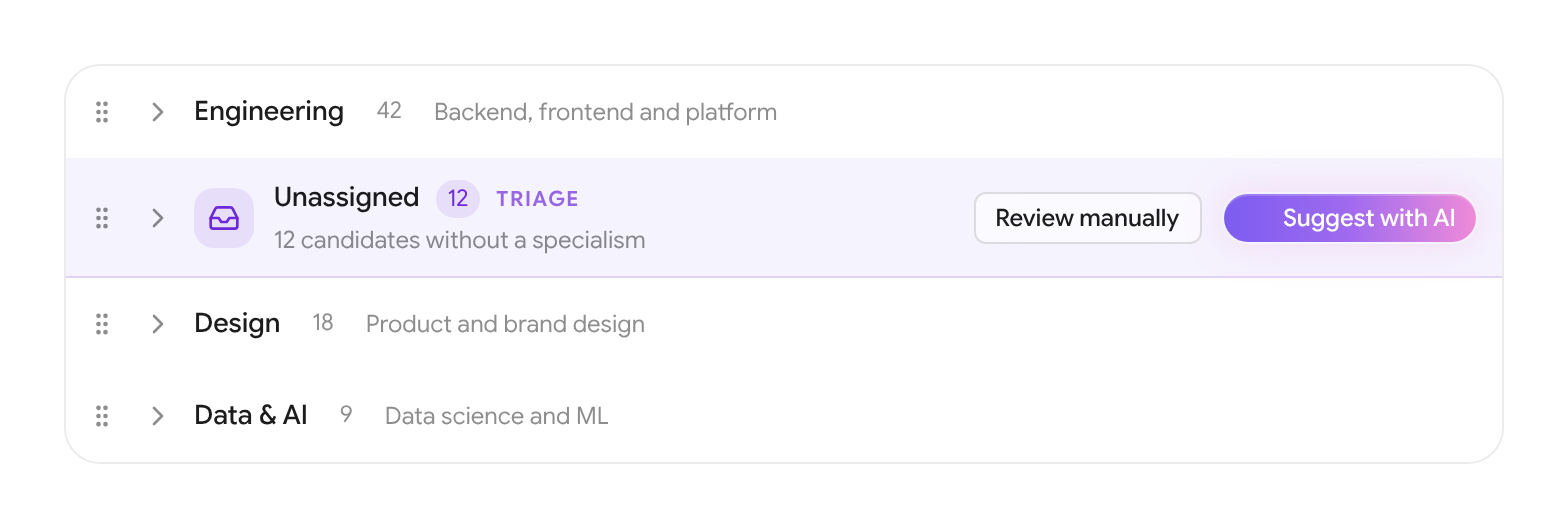
- The Unassigned group only shows when something is in it, and you can drag it into place like any other group.
Ask Agentiv
- Thumbs up and down on every answer. A thumbs down asks what went wrong, and Tell us more sends us the question and the answer with your note.
- Start sourcing runs a search for the job. Ask Agentiv kicks off a market search for the role rather than just suggesting one.
- When you ask it to pick between candidates, Ask Agentiv lists the pros and cons of each and leaves the choice to you.
- When Ask Agentiv hands you over to a page, it opens straight away.
- Candidate lists in Ask Agentiv show each person's location flag and company.
- If a search can't run because of a problem on our side, Agentiv says so instead of asking you to rephrase.
Feedback
- Tell us what's working and what isn't. Send feedback from the account menu, an error page or a failed task, with screenshots you can paste, drop or upload.
- CV errors now say what went wrong in plain words, for example when a CV is too long, and failed tasks have a Report button.
Plans and billing
- Core and Pro. Plans are now per user. Core covers recruiting and Search, and Pro adds Prospect and Interviews. Pick one on the Billing page and move from Core to Pro in place.
- See your usage. A new Usage tab on the Billing page shows AI actions per day, by feature and per person, next to your reveals.
Sequences
- A proper hello for people you're already connected to. When a connection request finds you're already connected, the next LinkedIn message opens with "Hey {first name}" instead of thanking them for connecting. You can edit that text in the sequence builder.
Look and feel
- Marble avatars. Teammates, interviewers and client contacts without a photo get a marble avatar in your brand colours instead of initials. Each person looks the same everywhere in the app.
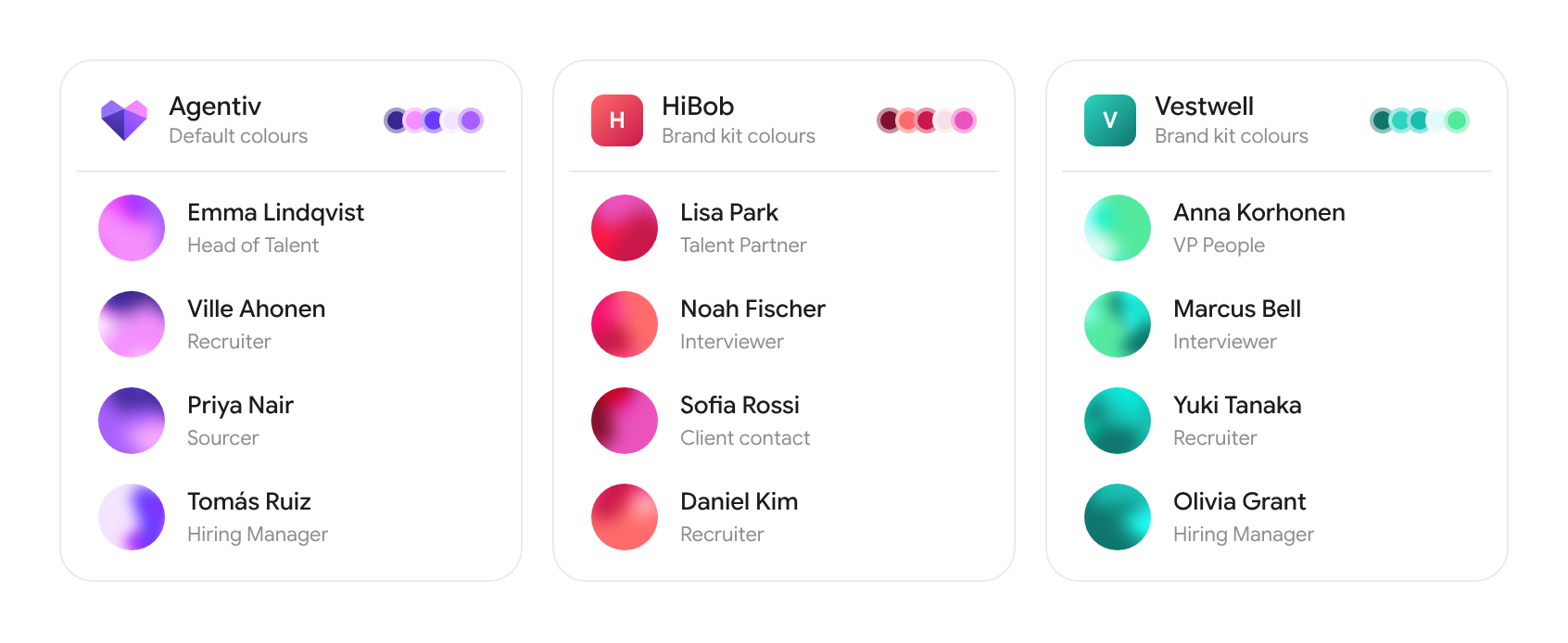
- Marble avatars are round in activity timelines too, and the timeline shows people's photos when they have one.
- The Agentiv wordmark matches the brand everywhere: dark on light, white on dark.
- When we ship an update while you have Agentiv open, you get a prompt to reload instead of an error.
Website
- New pricing. A founding pilot plan, Core and Pro, with interviewer and client seats, reveal packs, a comparison table and answers to common questions.
- An About page with the plain facts about Agentiv.
- All our walkthroughs on one page. The new Decks page shows all six, each with its own link you can copy and share.
- The walkthroughs have a music button. Music fades in while a walkthrough plays and remembers if you mute it.
- The Slush strip on the home page shows the Slush logo.
agentiv.md
- New post: Agentiv in Outlook and Teams.
- The manifesto now opens on candidates and their time.
- Walkthroughs have music too, with the same mute button.